
+- CarTechnoloGY (https://cartechnology.co.uk)
+-- Forum: Car Technology Other Forums (https://cartechnology.co.uk/forumdisplay.php?fid=24)
+--- Forum: Marketplace Area (https://cartechnology.co.uk/forumdisplay.php?fid=181)
+--- Thread: ECU Thermal fїж – Cooling Calibration for VAG, Opel/GM & BMW (/showthread.php?tid=124265)
ECU Thermal fїж – Cooling Calibration for VAG, Opel/GM & BMW - chiptuning.nysa - 28-10-2026
ECU Thermal fїж
Engine cooling calibration software for VAG, Opel / Vauxhall / GM and BMW
VAG EDC17 / SIMOS19 • GM Delco • BMW MG1CS003
Plus coolant temperature display activation for Opel Astra J and Insignia A
One application for supported ECU cooling calibrations and instrument cluster temperature coding.
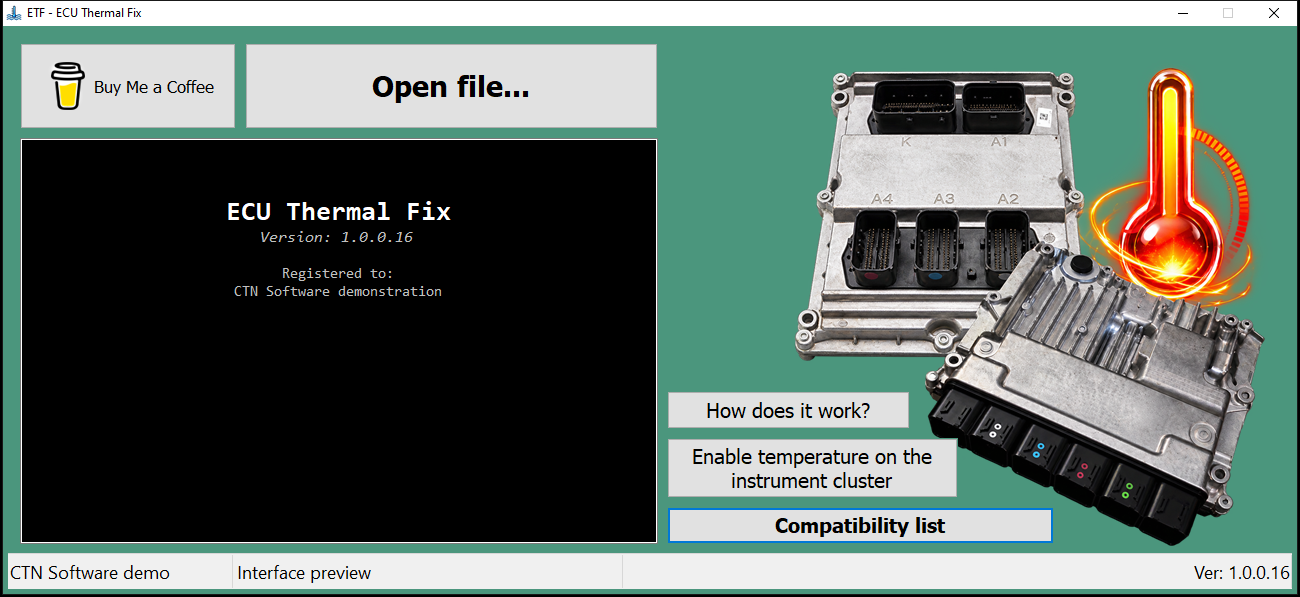
English ETF main window — demonstration account.
What is ECU Thermal fїж?
ECU Thermal fїж (ETF) is a Windows application for automotive workshops and ECU tuners. It modifies supported ECU binary files to improve engine warm-up or adjust the target coolant temperature, depending on the cooling system.
Open the file read from the ECU, let ETF identify the controller and available calibration, then save the modified file for writing with your ECU programming tool.
The modification follows the cooling strategy used by the рдятicular ECU:
- Supported VAG EDC17 applications: ETF changes control of the electric EGR circuit pump to limit heat removal during warm-up and help the engine reach operating temperature sooner.
- Supported electronically controlled thermostat applications: ETF adjusts the relevant calibrations toward approximately 95°C, according to the profile for that ECU software.
The available function depends on the ECU and cooling system. ETF does not apply the same temperature modification to every engine.
Supported ECU families
Volkswagen Group
Selected Volkswagen, Audi, SEAT and Škoda applications.
- B05cн EDC17: EDC17C46, EDC17CP04, EDC17CP14, EDC17CP20
- Continental: SIMOS19
Opel / Vauxhall / General Motors
- Delco: E39, E39A, E78, E80, E82, E83, E92, E98 / E98A
BMW
- B05cн: MG1CS003
Compatibility depends on the ECU software version, not only the ECU family or vehicle model. Open your ECU file to check the available calibration. A listed family does not mean every software revision is supported.
If your software version needs support, use the application's support request or contact CTN Software with your ECU family and software number.
Cooling calibration functions
- VAG EDC17 warm-up control: changes to the electric EGR circuit pump strategy in supported files.
- Thermostat target adjustment: supported profiles adjust the target coolant temperature toward approximately 95°C, instead of stock targets that may reach around 105–110°C under certain conditions.
- Automatic ECU identification: ETF identifies the opened file and checks for a matching supported calibration before applying changes.
- Profile-specific modifications: the calibration follows the supported ECU software profile.
The actual operating temperature and warm-up time still depend on ambient temperature, engine load, cabin heating and cooling system condition.
BMW 530i G Series — supplied vehicle example
The comparison published on the product page shows coolant readings of 105°C before and 95°C after, with oil readings of 108°C and 99°C.
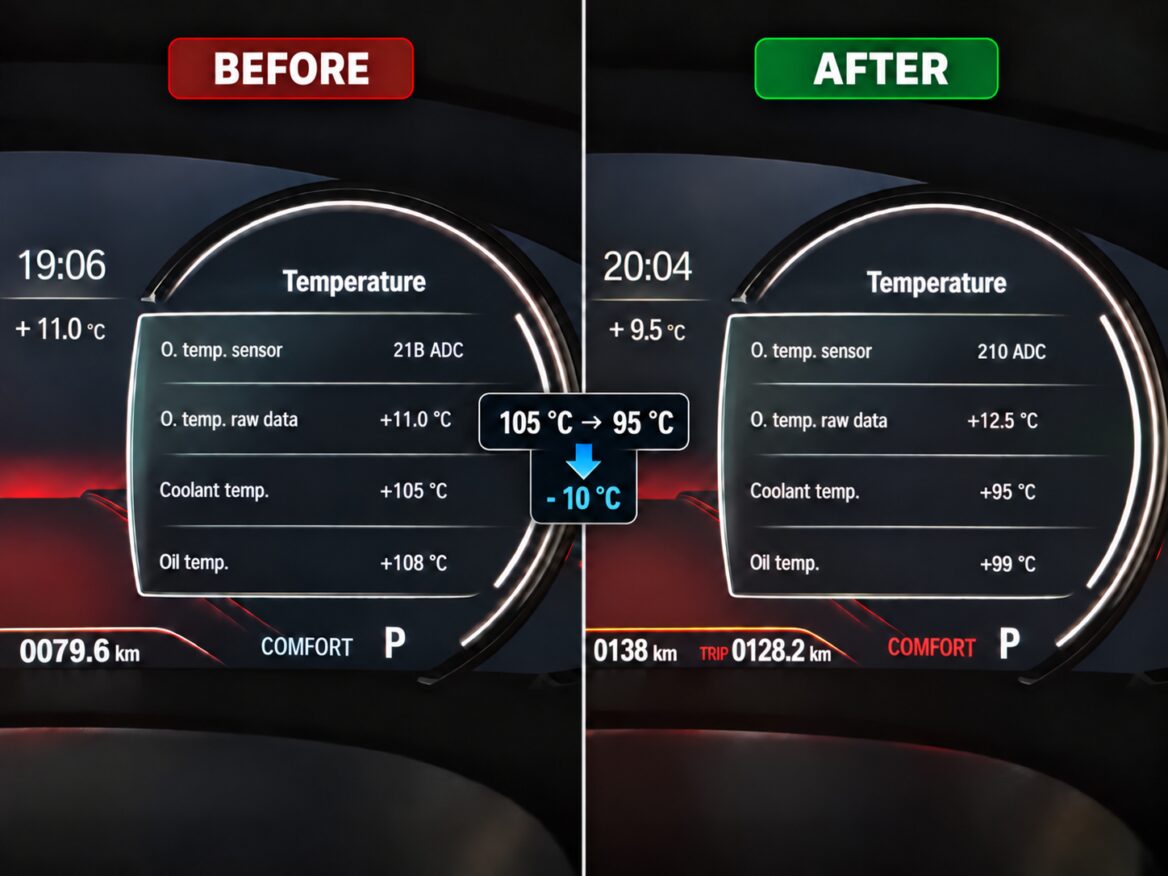
The readings were recorded at different times and operating conditions. They illustrate the supplied vehicle example rather than a fїжed result for every application.
Additional function: Astra J / Insignia A temperature display
ETF includes a dedicated window for activating the numerical coolant temperature display on supported Opel Astra J and Insignia A instrument clusters.
Select the vehicle and configure your interface, then start coding with a separate button. ETF performs the supported sequence:
- Connect to the instrument cluster.
- Identify the cluster.
- Read the existing configuration.
- Apply the supported temperature display change.
- Read the configuration back to verify the result.
Temperature display activation and engine ECU cooling calibration are separate functions. Enabling the display does not itself change the engine's coolant temperature target.
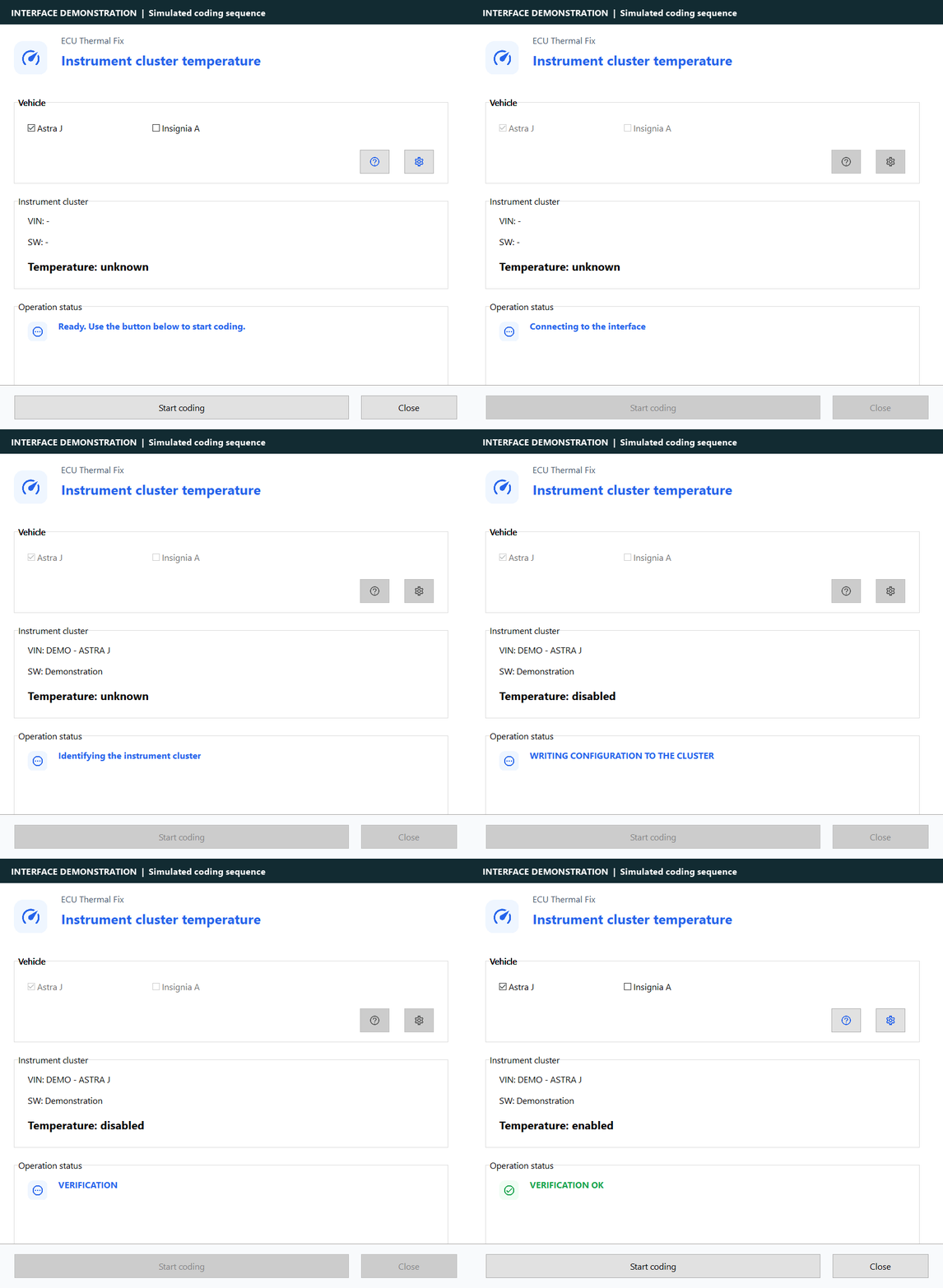
Real ETF interface with simulated connection data, demonstrating connection, identification, reading, writing and verification.
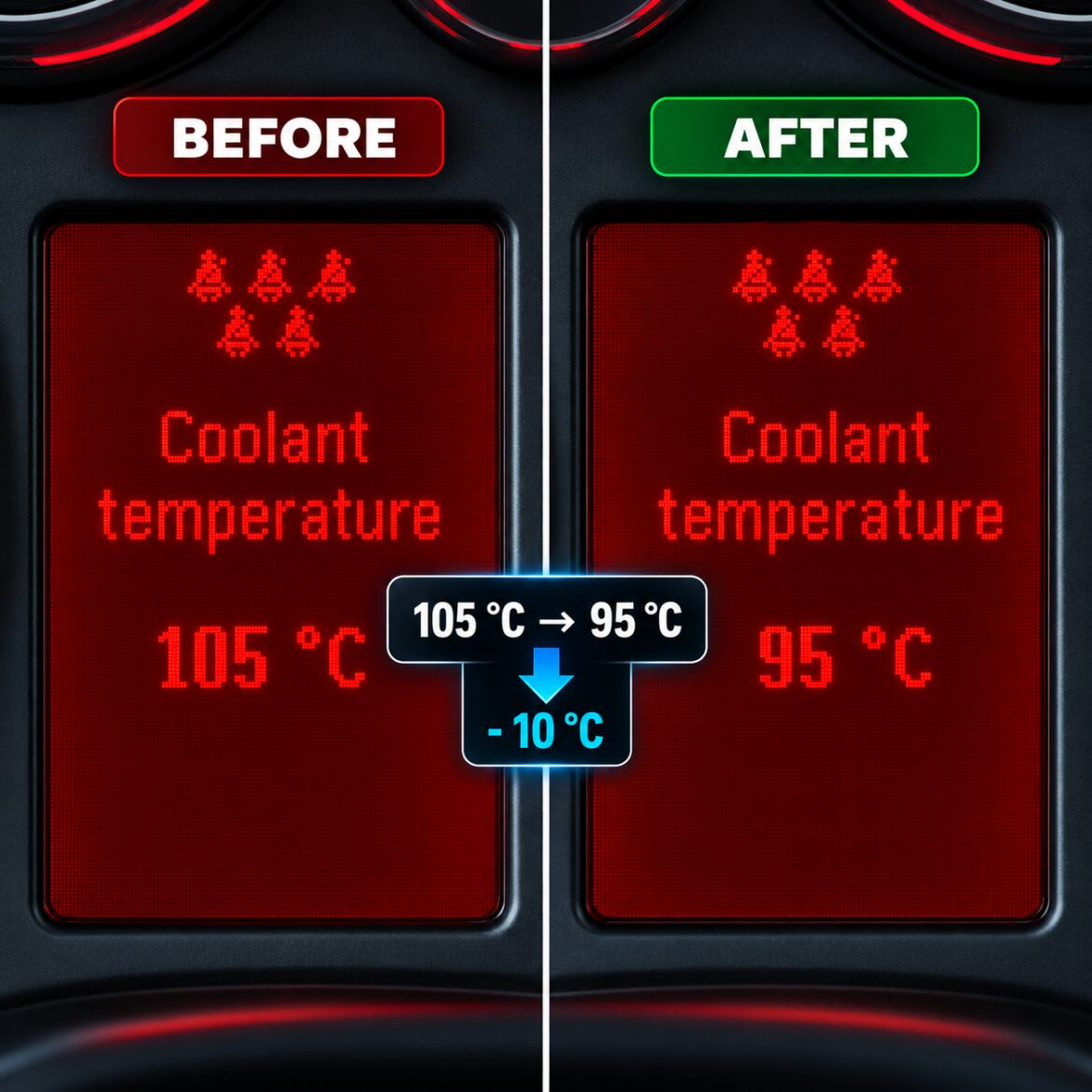
Astra J coolant temperature display — example readings of 105°C and 95°C.
Supported interfaces for cluster coding
- ор-сом: compatible USB hardware with physical SW-CAN support. ETF detects the firmware and offers the supported update when required.
- PassThru / J2534: a compatible device and driver that expose the required SW-CAN channel.
- AT/ST interfaces: supported SёяїдL COM or Bluetooth adapters with the necessary SW-CAN hardware, including compatible OBDLink / vLinker configurations.
- Modified ELM327 SW-CAN: SёяїдL COM or Bluetooth with the required SW-CAN modification and wiring adapter. The adapter diagram is included in ETF.
Physical SW-CAN support is required. A standard CAN or ELM327 label alone does not confirm compatibility with the Astra J / Insignia A cluster. Interfaces and any required adapters are supplied separately.
Simple ECU file workflow
- Read the original ECU file using your ECU programming tool.
- Open the BIN file in ECU Thermal fїж.
- Review the detected ECU and available calibration.
- Apply the supported modification and save the output file.
- Write the result using your ECU programming tool, following its checksum and programming procedure.
ETF modifies an ECU file already read by your programming tool; it does not replace your ECU read/write programmer.
For the separate instrument cluster coding function, connect a supported SW-CAN interface and use the dedicated temperature display window.
Application, activation and requirements
- Windows PC application.
- Internet connection required for activation, LїСёи5ё5 verification and online functions.
- Online activation inside the application using the email address associated with the LїСёи5ё5 and a verification code sent to that address.
- Perpetual LїСёи5ё5 for one computer, for personal or professional use by the LїСёи5ё5 holder.
- ECU file modification requires a suitable ECU read/write tool and the original supported file.
- Instrument cluster coding requires a supported SW-CAN interface and the necessary wiring / adapter.
- Official Windows releases are digitally signed by CTN Software.
- Digital software only: no interface or other hardware is included.
A healthy cooling system remains essential. Software calibration does not repair a faulty thermostat, pump or coolant leak.
Price: 499 PLN
PRODUCT DETAILS AND PURCHASE IN ATTACHMENT - link.txt
Questions about ECU compatibility, activation or cluster interfaces? Contact us.
CTN SOFTWARE
| link.txt | ||
| File Type: |

|
 |
| Downloaded: | 9 times | |
| Size: | 98 bytes | |